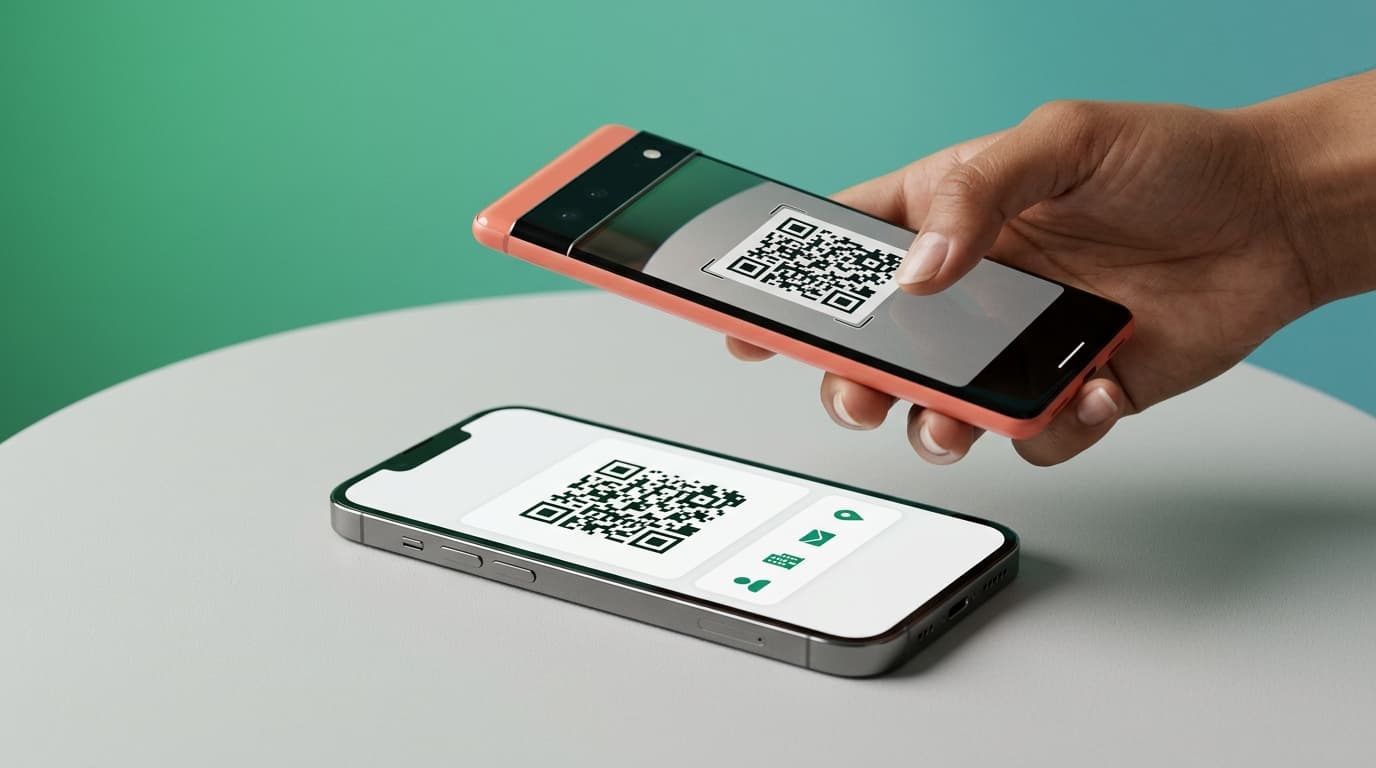

A QR code business card is a business card that carries a scannable code linked to your contact details. Someone points their phone camera at the code, your card opens on their screen, and they save your information in seconds. The code can sit on a printed card or live fully on your phone, and it works without either person installing an app to view it.
This guide covers how QR code business cards work, how to create one, how to share and scan it, and how to make sure the contact actually gets saved and stays useful afterwards.

What a QR code business card is
A QR code is a square pattern a phone camera can read. On a business card, that code holds a link to your digital card or contact details. Instead of typing your number off a paper card, the other person scans the code, and your information appears, ready to save.
You will see QR codes in two places. Some people print the code onto a traditional paper card. Others skip paper entirely and show the code straight from their phone screen. Both do the same job, they hand over your details through a scan instead of through typing.
The reason QR works so well for business cards is that almost every modern phone reads QR codes with the built-in camera. There is nothing to download to scan one, which removes the usual friction of exchanging details with someone you just met.
How QR code business cards work
The whole exchange has three steps, and it takes a few seconds.
You show your code. It can be on your phone screen, in your app, or printed on a card. The code points to your digital card or contact file.
The other person scans it. They open their phone camera, point it at the code, and tap the link that appears. Your card opens in their browser or their contacts. No app needed on their side to see it, making it one of the best digital business card options that requires no apps.
They save your details, be it phone contacts, Apple Wallet, or Google Wallet. Depending on what your card links to, they save your contact straight to their phone, or they open your full profile and save it there. The scan replaces the moment where someone usually types your details in wrong or loses the paper card in a pocket.
There is a related method worth naming so you can tell the difference. Some cards use NFC, a chip you tap instead of a code you scan. NFC needs a physical chip in a card or tag, so even the best NFC business cards depend on hardware you have to carry. A QR code needs no hardware at all, just a screen or a printout, which is why it is the simpler starting point for most people. Cardixx is built around QR sharing for exactly that reason.
How to create a QR code business card
Making one is quick, and you do not need a designer or a print run to start. Many people ask how to make a QR code for a business card, and the honest answer is that the best way is to build the card first and let the app create the code for you.
Build your digital card first. Add your name, title, company, and the links you want people to reach: your website, your booking link, your profiles. This is the information the QR code will point to.
Generate the code from your card. A good digital business card app creates the QR code for you automatically and keeps it tied to your live card. You do not paste in a random code generator output, because a basic business card QR code generator usually points to a static file that cannot update.
Choose how you will use it. You can keep the code on your phone to show at meetings, or you can print QR codes on business cards, badges, stickers, or slides. A business card with a QR code works the same everywhere. A free QR code business card option is enough to start, so you can try it before paying for anything.
Keep it linked to a live card, not a frozen file. This is the part that matters most, and the next section explains why.

Why a live QR code business card vs NFC vs static
Not all QR business cards are equal, and the difference decides whether the card is worth using.
A static QR code points to a fixed file. If you make one from a basic generator, it captures your details as they were the day you made it. Change your number or your job, and every card you already handed out now points to old information, with no way to fix it.
A live digital business card QR code points to your card, which you control. Update your card, and the same code now shows the new details to everyone who scans it, including people who scanned it months ago. You print or share the code once, and it stays current for as long as you keep your card current.
For a business card you hand to people you want to hear from later, the live version is the one that keeps working. A static code is fine for a one-off, but it goes stale the moment anything about you changes.
Dimension | Static QR Code Card | Live QR Code Card (e.g., Cardixx) | NFC Business Card |
Core Mechanism | Scannable code pointing to a fixed, frozen contact file or static URL | Scannable code pointing to a dynamic, manageable live profile | Physical microchip tapped directly against a smartphone |
Hardware Requirement | None (works from any screen, printout, slide, or badge) | None (works from any screen, printout, slide, or badge) | Requires carrying physical card, tag, or chip hardware |
Information Freshness | Static (changes make previously handed-out codes obsolete) | Live updates (changing details updates past & future scans) | Hardware is fixed; relies on whether the linked URL is dynamic |
Recipient Experience | Scans with built-in camera; no app installation required | Scans with built-in camera; no app installation required | Taps phone against card; no app installation required |
Content Depth & Links | Restricted to basic vCard parameters or standard text | Full profile (interactive links, booking slots, dual-sided layout) | Typically redirects to a single landing page or contact download |
Post-Scan Value & Context | Flat contact save or screenshot; easily forgotten | Saves into contact wallet; captures time, location, & venue context | Basic contact transfer; reliant on phone's contact manager |
Networking Beyond Handshake | Single directional contact handoff | Integrates with venue check-ins, nearby discovery, & messaging | Single directional contact handoff |
How to scan a QR code business card
Scanning is the easy half, and it helps to know it so you can guide the person in front of you.
On most phones, open the camera app and point it at the code. A link appears at the top of the screen. Tap it, and the card opens. That is the whole process on a modern iPhone or Android, no separate scanner app required.
If the camera does not pick it up, a dedicated QR scanner app or the scan option inside many apps will read it. This is rare on current phones but worth knowing for older ones.
Once the card opens, the person saves it. If your card links to a contact file, a vcard qr code business card, it drops straight into their phone contacts. If it links to a fuller profile, they save the profile and get your links, not just your number.
How to make sure the contact actually gets saved
Here is the gap most QR business cards leave open. The scan works, the card opens, and then nothing happens, because saving is left entirely to the other person and they forget.
A strong setup closes that gap on both sides. When the person you meet uses the same app, the exchange saves the card into their wallet automatically, and it stays linked to your live profile rather than sitting as a flat screenshot. When they do not use the app, they can still save your card as an image or straight into their contacts, so no one walks away empty-handed.
With Cardixx, a scan can save the card into an in-app wallet, keep it tied to your live details, and record where and when you met, so the contact still makes sense weeks later. That last part, the context of the meeting, is what turns a saved card into a contact you can actually follow up.
Where a QR code business card stops being enough
A QR code makes the exchange fast, but the exchange still only happens once two people are already face to face. The code does not help you find the right person, and it does not do anything after the scan unless the tool behind it does.
That is where the card becomes the start of something larger. You can create a QR code business card with Cardixx, and from there check in at a venue or event to become visible to other professionals nearby, discover people worth meeting, send a connection request, and keep the conversation and the contact after you part. The QR scan is the handshake. The check-in, discovery, and follow-up are what build the relationship.
If you want the wider picture of how the card fits into professional networking, start with the complete guide to digital business cards.
Frequently asked questions
How do I make a QR code for a business card?
Build a digital card with your details and links, then let a QR code business card app generate a QR code tied to that card. Keep the code linked to your live card so it updates when your details change, rather than using a static generator.
Do you need an app to scan a QR code business card?
No. Most phones scan QR codes with the built-in camera, and the card opens in a browser. Built-in QR works on 100% of iPhones since iOS 11 (2017) and all Android devices since Android 9. The person who owns the card uses an app to create and manage it, but the person scanning does not need one.
Can I print a QR code on a paper business card?
Yes. You can print the code on a card, badge, sticker, or slide. If the code links to a live card, the printed version keeps pointing to your current details even after you update them.
What is the difference between a QR code business card and an NFC business card?
A QR code is scanned with a camera and needs no hardware. An NFC card is tapped and needs a chip built into a physical card. QR works from any screen or printout, which makes it the simpler option for most people.
What happens to my contact details after someone scans my card?
They open your card and save it. With a live card, they get your current details and links, and a good app saves the card into a wallet with the context of where you met, so the contact stays useful later.
Ready to start? Create a QR code business card with Cardixx and turn every scan into a connection worth keeping.
Written by Cihan Yasa, M.Sc., EMBA