
Digital business cards are safe to use when you choose a tool that lets you control what your card shows and how your data is handled. You decide which details are visible, the person receiving your card does not need to install anything, and a good provider explains in plain terms what it stores. The risk is not the format, it is sharing more than you mean to, which you can avoid.
This guide answers the real privacy questions: what data a digital business card involves, who can see it, and how to share yours safely without giving away more than you intend.
A digital business card is as safe as the choices you make with it. It holds the same kind of information a paper card does, your name, role and contact details, and it hands that information over through a link or a QR code business card. Nothing about that is inherently risky.
What makes the difference is control. The best digital business card app lets you decide exactly what each card shows, keep private details off a card meant for strangers, and change or remove your information whenever you want. A smart digital business card puts that control in your hands. Choose a tool that gives you that, and a digital card is safer than a paper one, because a paper card, once handed over, is out of your hands entirely.
Paper card versus digital card for privacy
It helps to see the safety contrast in one place. The table below sets a paper card against a digital business card on the things that actually affect your privacy, from control after the handover to whether you can delete your data. A smart digital business card keeps you in control where paper cannot, and it does it without asking the other person to install anything.
Factor | Paper card | Digital business card |
|---|---|---|
Control after handover | Gone, out of your hands | Edit or delete your details anytime |
Visibility | Everything printed is shown | You choose per card what shows |
Updating details | Reprint the whole batch | Update once on your live card |
Receiving | Physical handover | qr code business card or link, no app needed |
Tracking | None, and no control either | Analytics stay yours to see |
Removing your data | Impossible once given | Remove it and every card updates |
What data is actually on a digital business card
Start by being clear about what a card involves, because the fear is often bigger than the reality. A digital business card carries the details you choose to put on it, typically your name, title, company, and the contact methods and links you want people to use.
That is information you already hand out on a paper card or in an email signature. The digital version does not require anything more sensitive. You are not putting your home address or private data on a card unless you choose to, and a good tool lets you leave anything private off entirely.
The one thing a digital card adds is a record of interactions, the analytics that show views and clicks. That data is about how your card performed, and with a trustworthy tool it stays yours to see, not something shared with others.
What data a digital business card involves
People worry most about what a card exposes, so it is worth listing exactly what a digital business card involves and who controls each part. Most of it is the same information a paper card or an email signature already carries, and the best digital business card app lets you hide anything you would rather keep private. Nothing sensitive goes on the card unless you decide to put it there.
Data | On the card? | Your control |
|---|---|---|
Name, role, company | Yes, if you add it | Standard, same as paper |
Contact methods | Only the ones you pick | Hide any you do not want shown |
Links, site, booking | Optional | Add or remove anytime |
Home address, private data | Only if you choose | Best left off entirely |
Analytics, views and clicks | Recorded for you | Stays yours, not sold or shared |
Location | Off by default | On only at networking events check in |
Who can see your card, and what you control
The person you share your card with sees exactly what you chose to show, and nothing behind it. When you share your digital business card, only the fields you made visible go across; if you keep a field private, it stays off the card. This is the core of using a card safely: making a business card digital does not mean making it public, you set the visibility.
A strong practice is to share less with a stranger and more with a trusted contact. A quick card at an event might show your name, role and one contact method. A card you send a serious client can show your full profile. Good tools let you control this per card, so you are never forced to over share.
You should also be able to edit or remove your information at any time. Because the card is digital, updating or deleting a detail takes effect for everyone who opens your live card. Before you commit to a tool, it is worth taking a moment to review Cardixx privacy controls and any provider's settings, so you know exactly what you can show, hide and change.
Does the other person need to install anything?
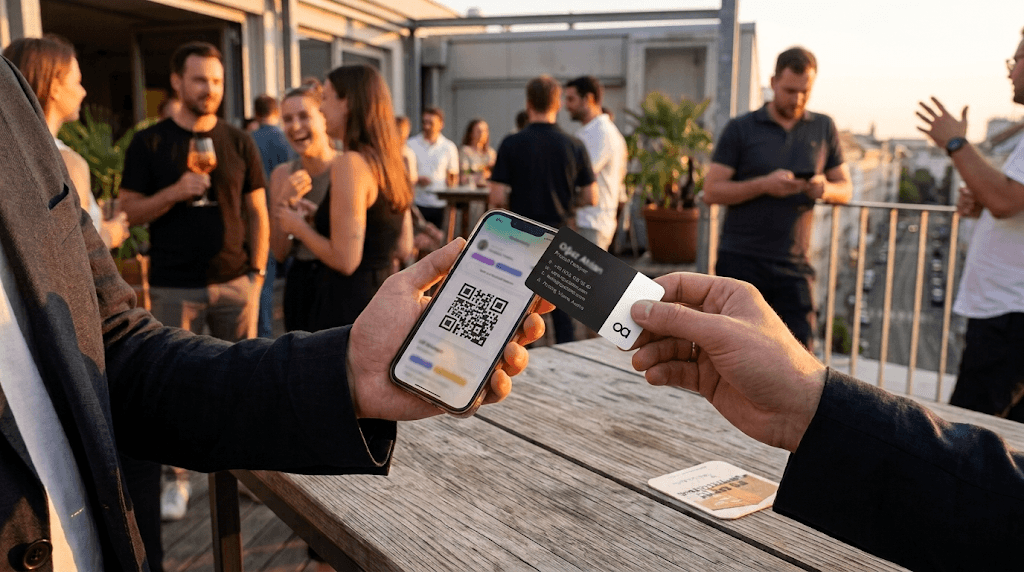
This is a real safety point people miss. A trustworthy digital business card opens in a browser from a business card qr code or link, with no app required on the other person's side. The ability to use a digital business card without app installs on the receiving end is part of what makes it safe for everyday professional networking and the networking events you attend. They see your card and save your details without handing over anything themselves.
Be cautious with any tool that forces the person receiving your card to install an app or create an account just to view it. That pattern collects more than it needs to. The safest cards, including QR based ones, keep the exchange one way: you share, they receive, nothing is demanded of them. Enterprise-grade platforms like Cardixx uphold strict European data privacy standards (GDPR/DSGVO), hosting data on secure EU servers with TLS 1.3 encryption in transit and AES-256 encryption at rest. Furthermore, recipient-facing card links operate entirely cookie-free without intrusive third-party tracking scripts.
What to share by situation
Safe sharing is mostly about matching what you show to the moment. The table below suggests what to share and what to hold back by situation, from a stranger at one of the business networking events you attend to a trusted client. The right business card qr code shares only the fields you set as visible, so you never over share by accident.
Situation | Share this | Keep private |
|---|---|---|
Stranger at an event | Name, role, one contact method | Personal number, home address |
Trusted client | Full profile and links | Nothing sensitive is needed |
Public or social profile | Professional links only | Private channels |
Team or enterprise card | Branded work details | Personal accounts |
Networking events check in | Visibility on for the event | Turn it off afterwards |
What about location and discovery features?
Some networking tools add location based features, like discovering people nearby at an event. This is useful, and it raises a fair question about privacy that deserves a straight answer.
The right approach is that you stay in control of when you are visible. Location based discovery should be something you switch on when you want to network, for example by checking in at an event, and off the rest of the time. It should never track you silently in the background. If a tool offers to find professionals nearby, check that visibility is something you choose in the moment, not a default that runs without you knowing.
How to check a tool before you trust it
You do not have to take any provider's word for it. Run through a short checklist before you rely on a digital business card, and you will quickly see whether it treats your data well.
What to check before you choose | Why it matters |
|---|---|
Can you control what each card shows | You should share less with a stranger and more with a trusted contact |
Does receiving need an app | A card that forces a download on the other person shares more than it should |
What data does the tool collect | You should be able to read, in plain terms, what is stored and why |
Can you edit or delete your data | You should be able to change or remove your information when you want |
Is there a clear privacy policy | A real, readable policy is a basic sign the tool takes data seriously |
Who can see your analytics | Your view stats should be yours, not shared or sold |
If a tool passes these, it is treating your data with the respect it should. If it dodges any of them, that tells you something too. A trustworthy provider makes these answers easy to find.
Common privacy worries and the real answer
Most privacy fears come down to a handful of worries, and each has a straight answer. The table below pairs the common worry with the real safeguard, so you can judge a tool on facts rather than a vague sense of risk. A trustworthy card, including a free digital business card, should pass every row, and a good provider makes these answers easy to find.
Worry | Why people ask | The safe reality |
|---|---|---|
Can strangers see everything | Fear of over sharing | You set visibility per card |
Does it track me | Location features exist | Only when you switch it on |
Must the other person install an app | Some bad tools do this | A safe card needs no app to receive |
Is my data sold | A fair trust question | A good tool keeps your analytics yours |
Is a free card less safe | Cost assumption | A free digital business card can be just as safe |
Can I really delete it | Doubt about control | Edit or remove takes effect for everyone |
How to use a digital business card safely
Put it together and safe use comes down to a few habits.
Share only what the moment needs. Keep a lighter card for strangers and a fuller one for trusted contacts. Keep your details current, so people reach the right you. And pick a tool that lets you see and control your data, rather than one that hides how it works.
Do those things and a digital card is not only safe, it is safer than paper, because you keep control after the handover. A free digital business card or a free digital business card app can be just as safe as a paid one, as long as the provider is open about data. For the wider picture, the complete guide to digital business cards covers how the card works, and the free complete guide to digital business cards covers what to check on a free plan.
Frequently asked questions
Are digital business cards safe to use?
Yes, when you choose a tool that lets you control what each card shows and is clear about the data it stores. You share only what you want, the other person needs no app to receive it, and you can edit or remove your details anytime.
Can someone see private information from my digital business card?
Only what you choose to show. If you keep a field private, it stays off the card. A good tool lets you set visibility per card, so a stranger sees less than a trusted contact.
Do digital business cards track my location?
A basic card does not. Some networking tools add optional location discovery, which should only be on when you choose, such as checking in at an event, and off otherwise. Check that visibility is something you control, not a silent default.
Is it safe if the other person does not have the app?
Yes, and it is a good sign. A trustworthy card opens in a browser from a QR code or link with no app needed on their side. Be wary of any tool that forces the recipient to install something just to view your card.
Can I delete my digital business card data?
With a good provider, yes. You should be able to edit or remove your information at any time, and the change takes effect for anyone who opens your live card. Check that a tool offers this before you rely on it.
Want to see for yourself? Review Cardixx privacy controls and choose exactly what your card shows.